
Introduction
Snowflake allows you to share a databases, schemas, tables and views with Kubit through a Secure Data Share . With this approach Kubit acts as a Consumer Account and can query data that has been imported with the Provider Account, but cannot perform any of the DML tasks that are allowed in a full account, such as data loading, insert, update, and similar data manipulation operations.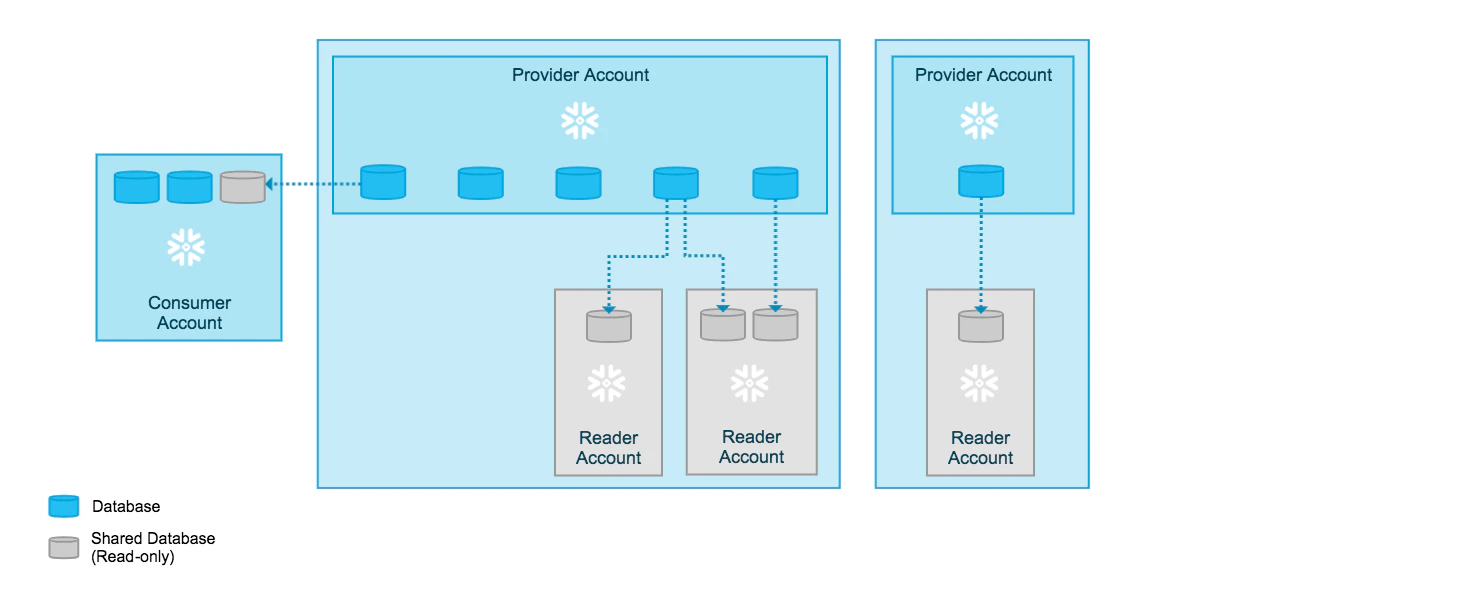
Steps
Requirements
Note that both the Provider and Consumer accounts of the Secure Data Share need to be on the same cloud infrastructure and in the same region. In case your Snowflake account does not match any combination in the table below we can provision a new matching account in a matter of hours.| Region | Cloud Vendor | Account Locator | Account Name |
|---|---|---|---|
| US West 2 | AWS | NK15162 | NK15162 |
| US East 1 | AWS | KUBIT | KUBIT |
| US East 2 | AWS | SL59270 | KUBIT_US_EAST_2_AWS |
| EU Central 1 | AWS | PC52456 | KUBIT_EUROPE_CENTRAL_1_AWS |
| EU West 1 | AWS | TJ95313 | KUBIT_EU_WEST_1_AWS |
| EU West 4 | GCP | KU21135 | KUBIT_EUROPE_WEST_4_GCP |
| EU North | Azure | GJ34763 | KUBIT_NORTHEUROPE_AZURE |
| AU East | Azure | FZ59063 | KUBIT_AU_EAST_AZURE |
1. Preparation
Identify which resources will be shared with Kubit.- Databases and Schemas
- Tables
- (Secure) Views
2. Create a Data Share
Here is an example script (sharing to nk15162 on US West Coast)3. Grant Usage Permissions
Snowflake also offers a web interface to review and manage data shares. For details on this topic, please review Snowflake’s documentation here. Please also note, the following cases which require additional configuration. Here is how to:
Best Practices
Clustering Keys
- Kubit works with time-series data so clustering by date of the fact tables is essential for performance for tables bigger than 1TB.
- Since most Kubit reports also filter by event name it is beneficial to add the event name as a second cluster column.
Troubleshooting
A view or function being shared cannot reference objects from other databases.
The error could be due:- A missing privilege
REFERENCE_USAGEon the database where the objects reside which is referenced in the view. Solution:
- An object from a database on top of an INBOUND share can not be directly added or referenced to an object in the OUTBOUND share. There is no solution to this limitation - you can’t share an INBOUND share directly. You have to copy the data into a table in order to use it in an OUTBOUND Share.
- If the referenced object or the shared object in the OUTBOUND share has a making policy applied, where the masking policy resides in a database other than the shared object. Solution:
- You’re referencing more than one database in your OUTBOUND share. You can review all the references with the following function:
Recreate a shared view
When you recreate a view, even with theCREATE OR REPLACE statement, existing grants might be lost. Please, make sure to include the COPY GRANTS parameter. Once the new view is created you can review its grants with the following command:
Avoid select * in shared view definitions
Using select * in your view definitions may lead to query failures once the references table schema changes. Here’s a typical error message:
View definition for ‘Database.Schema.Resource_Name’ declared X column(s), but view query produces Y column(s).Please do not use
select * in shared view definition in order to prevent such errors.
Setup a Data Share Databricks